
Own your books. Resibook makes it easy.
Clear, organized books on your computer, ready for your accountant, no internet needed. Want it even easier? Connect your AI.
What it is
Full double-entry bookkeeping in one Windows app. Bring in statements, send invoices, pay bills and people, keep tax in order, and hand your accountant clean reports.
Who it's for
People who run the business themselves. Freelancers, consultants and teams of up to ten who keep their own books, or hand them to an accountant each month.
Why it exists
Owning your books used to mean spreadsheets or renting someone's cloud. Resibook keeps them clear in a file you keep for good, and your own AI can make it easier still. It only suggests. You decide.
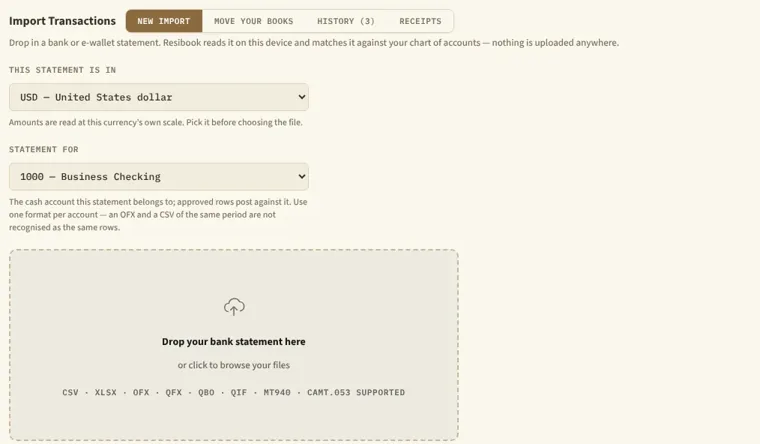
Bring statements in
Download a statement from your bank or e-wallet and drop it in. Eight formats from CSV to CAMT.053, checked against their balances, with repeats skipped. Coming from another program? Bring your old books too.
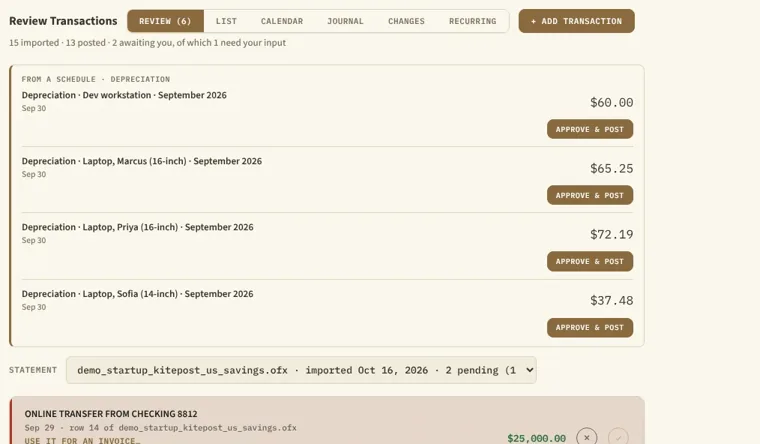
Review, then approve
Your rules sort the rows they know, and the rest wait for you, because Resibook never guesses an account. It spots transfers between your own accounts and flags amounts that look unusual.
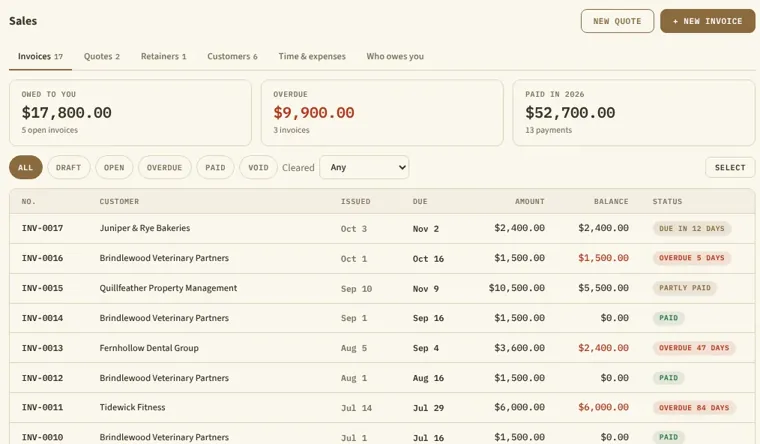
Match and reconcile
Match deposits to invoices and withdrawals to bills, turn a receipt photo into an entry or a bill, reconcile each account, and count the till at the end of the day.
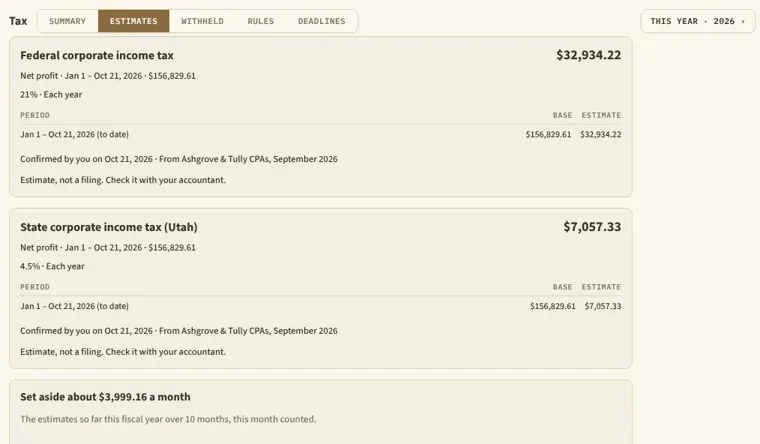
Tax, set to your country's rules
Summaries, estimates, tax withheld and deadlines, worked out from the rates and rules you set. It never files anything.
Bills and suppliers
Pay bills in full or part, and see what you owe.
Calculators
26 of them, from margins and break-even to loans and the full cost of a hire.
Assets
Straight-line depreciation, proposed month by month.
Your chart of accounts
Custom fields and files on any entry.
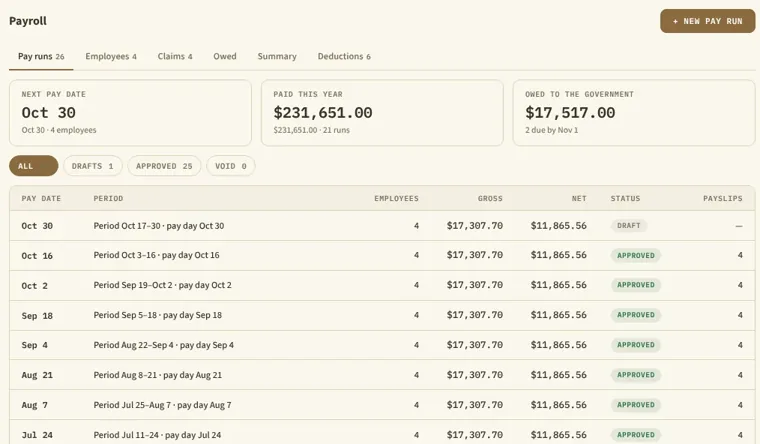
Payroll records
Employees, pay runs and deductions by your own rules, with a payslip PDF each.
Expense claims
Approve them, then pay them back in a run or as a bill.
The Calendar
Pay days, invoices due and your tax deadlines, with a notepad beside it.
Recurring
Rent and subscriptions proposed on their dates for you to approve.
Safe, and on the record
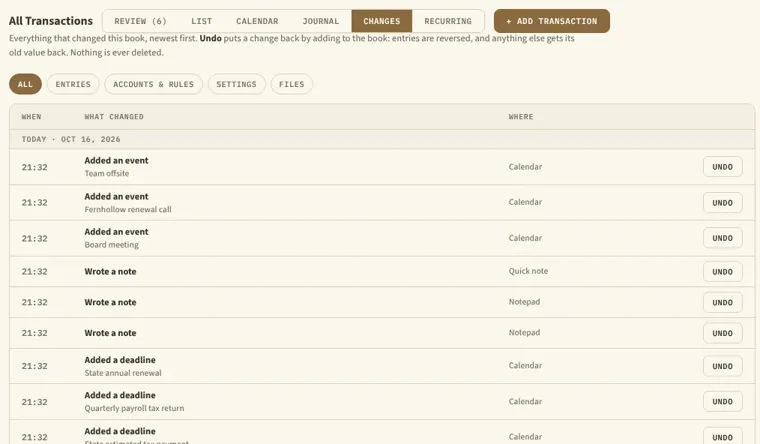
- Every change kept in Changes, with Undo
- Corrections are reversing entries, never edits
- Lock past months, close a year
- Back up in one click, restore with a safety copy
- Password lock, with a 15-word recovery phrase
- Check my book and Verify my records
- More than one book, one switch away
- Share a copy with your accountant, approve what comes back
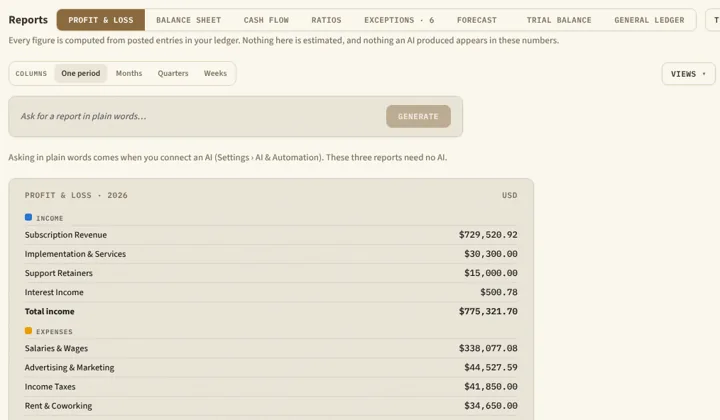
Even easier with your own AI
Resibook works fully without AI, and Tidy up my books finds entries made twice and names written two ways on its own. Connect an AI to ask in your own words. It can look and suggest, nothing is saved until you approve it, and a log shows everything sent.
An example
You ask Which costs went up most this quarter?
Your AI answers Advertising rose from $9,800 to $14,200 and cloud hosting from $3,100 to $4,050, worked out from your approved entries. It offers a rule for the new ad supplier.
You decide Approve the rule or skip it. Your books stay as they are until you do.
- On your computerLM Studio, Ollama, any local server
- Cloud, your own keyClaude, GPT, Gemini
- One key, many modelsOpenRouter
- Your assistant appClaude Desktop, ChatGPT, Gemini, Hermes
- Its answersfrom your ledger
Product names belong to their owners. Resibook is not made by or tied to these companies.
Try the demo
The real app, running here with a made-up company called Kitepost, Inc. Click anything. Nothing is saved or sent, and a reload starts it fresh.
Any country, any currency
Each currency keeps its own decimals, and you set your own tax names and rates. Where Resibook works
The demo is about 15 MB and loads when you start it.
Start the demo
Try it free for 14 days
Download Resibook for Windows 10 (version 1809 or later, 64-bit) or Windows 11. Everything works for 14 days. After that your books open read-only until you buy, and you can still export and back them up.
 ResibookWindows 10 and 11
Downloads open soon.
If you lock your book with a password, write down the recovery phrase it shows once. We have no copy of either.
$245 once
$15 a month
Pricing
- Trial14 days, everything works
- Refundswithin 14 days
- Computersone per licence
Both plans include every feature. Lifetime costs about the same as 16 months of monthly, so start monthly if you want to begin small. Refunds within 14 days, no questions asked. Prices in US dollars, plus tax where the law requires it. Buying opens soon. Refund terms
Do I need an account?
No. Lemon Squeezy emails you the licence key, and you enter it in Settings › Licence.
What if I stop paying monthly?
Your books open read-only after the time you paid for. You can still view, export and back them up.
Can I move my licence?
Yes. Settings › Licence › Move to another computer, then enter the key on the new one.
Do I need internet?
Not for your books. A monthly licence renews by itself: from 7 days before its month ends, it asks when Resibook starts and then at most once a day, or an hour later if it couldn't connect. A lifetime licence contacts the server only when you enter it or move it, and the free trial never does. Checking for updates sends only the app version and your system type, nothing from your books.
Is there a Mac version?
Not yet. Resibook runs on Windows 10 and 11 for now.
Does Resibook file my taxes?
No. It prepares your records. You or your accountant file them.
Does Resibook see my books?
No. They live in a file on your computer, and we never see what is in them.
Do I need AI?
No. Everything works without it. AI only helps if you connect one, and it never changes anything without your approval.
Get help
Write to support@resibook.app. We reply within three working days.
We will never ask for your book file, your password or your recovery phrase.
About Resibook
Made by Miguel Regaspi, who has a background in bookkeeping, for people who want clear books without renting them from anyone. The look is solarpunk finance, where tools and living things work together. Your books sit on your own computer the way a solar panel sits on your own roof.